Matt Arderne
Co-founder @ Sea.dev
Welcome to the first in a series of posts explaining the Sea.dev app.
*Our focus: Enabling Lending and Fintech teams to effortlessly extract data from businesses, people, and documents.*
This post explores the ability to quickly extract data from financials and assess the underlying company.
Can you do a quick deep dive? Something of a paradox. Let’s try to do one on a company’s financials!
I love this analysis blog of a UK company with incredibly strong financials. It is a great backdrop to demonstrate how you can quickly go from a financial statement to the beginnings of an insightful report using just Sea.dev.
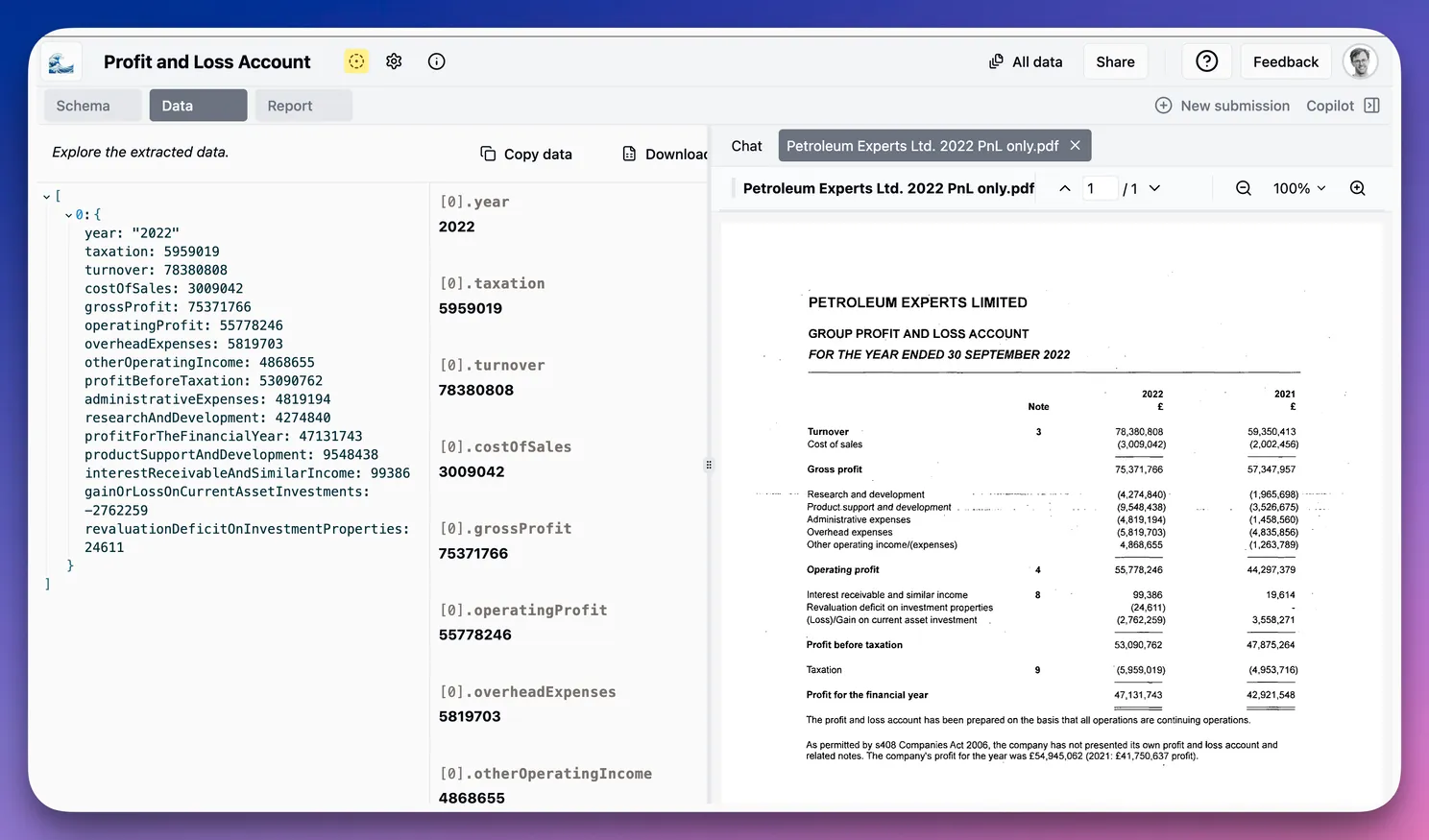
Here is the Profit and Loss for 2022. Let’s grab that data and have a quick look at how they are doing.
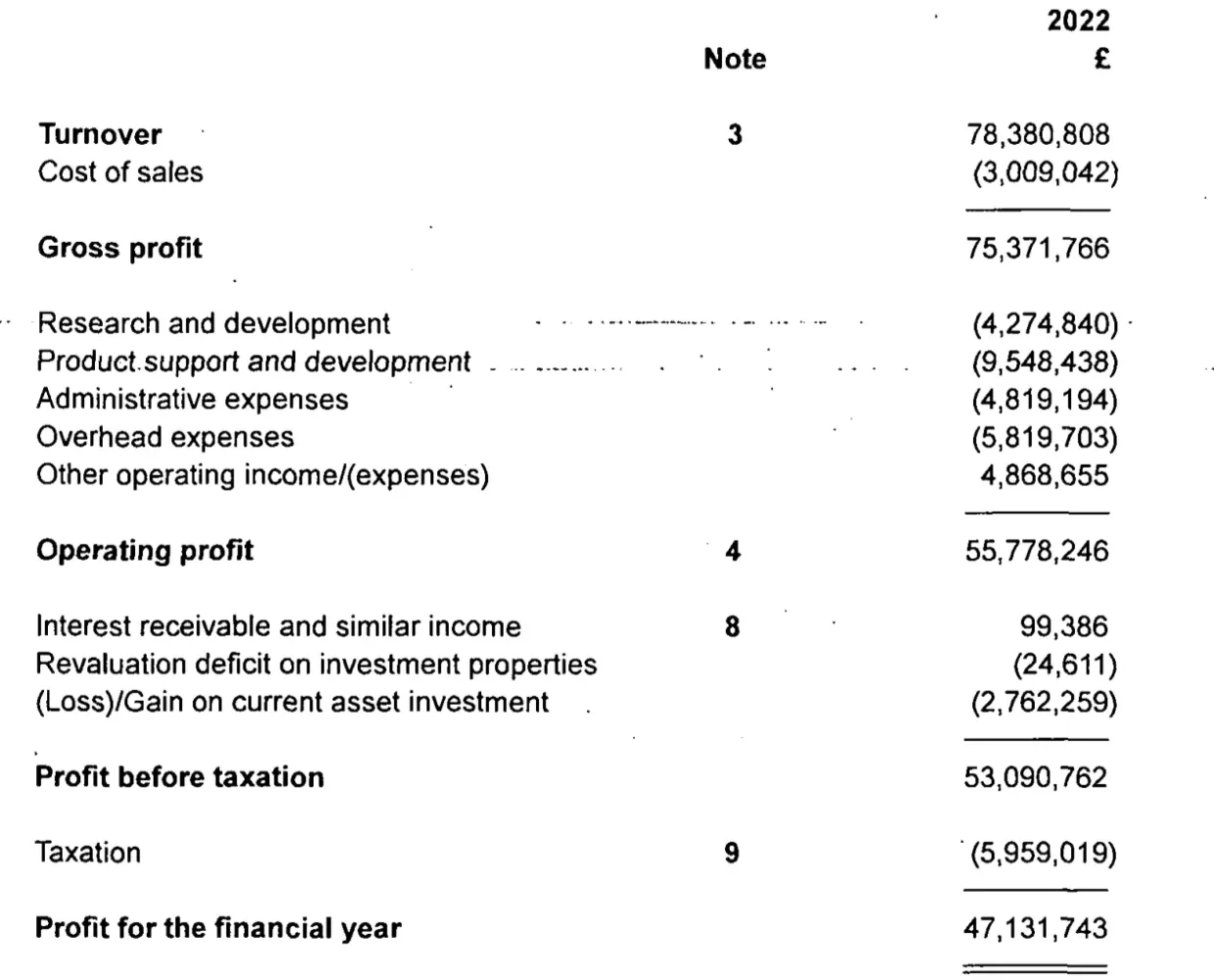
Data extraction and analysis
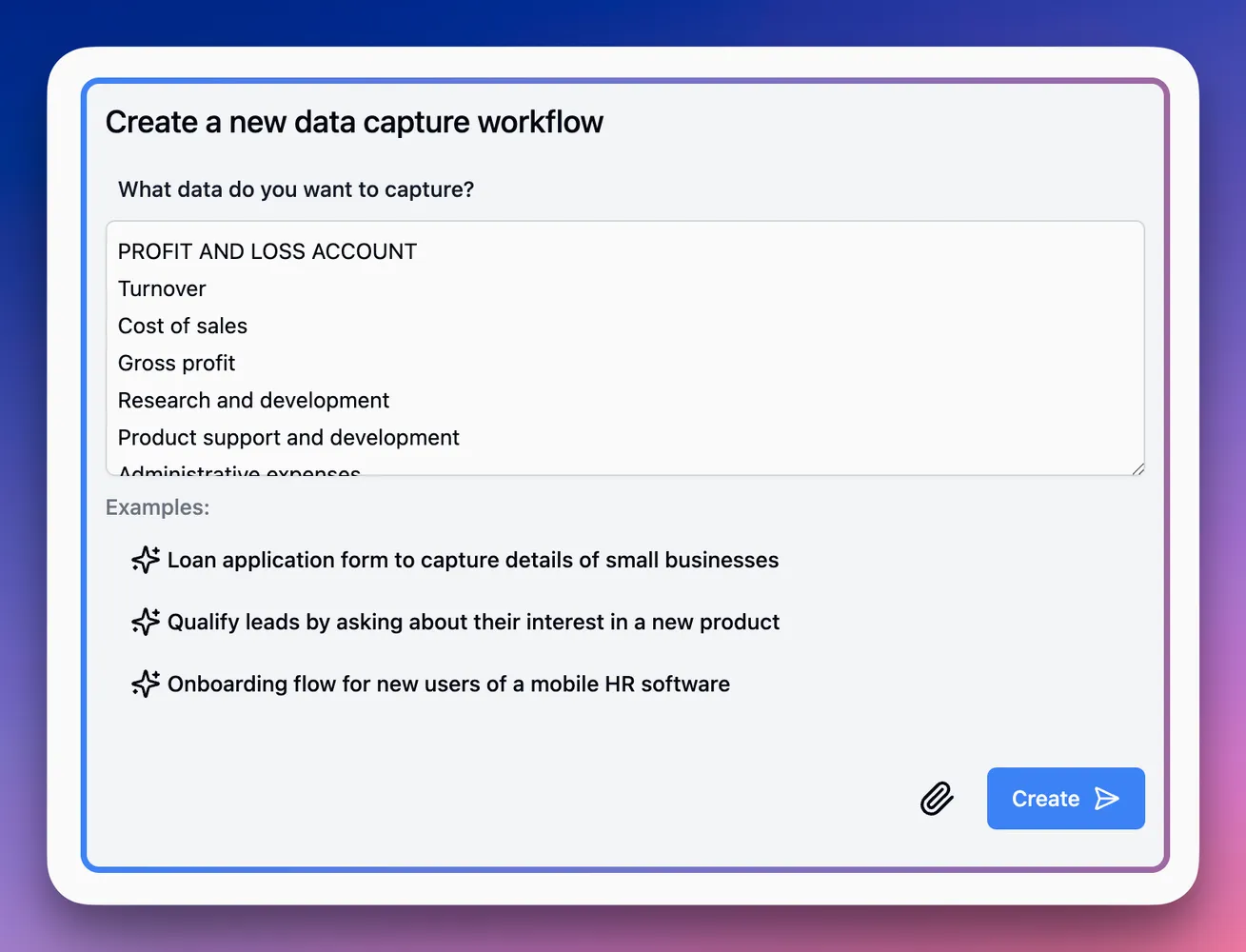
First, drop the fields into the workflow creation tool (you could also just ask for a Profit and Loss statement).
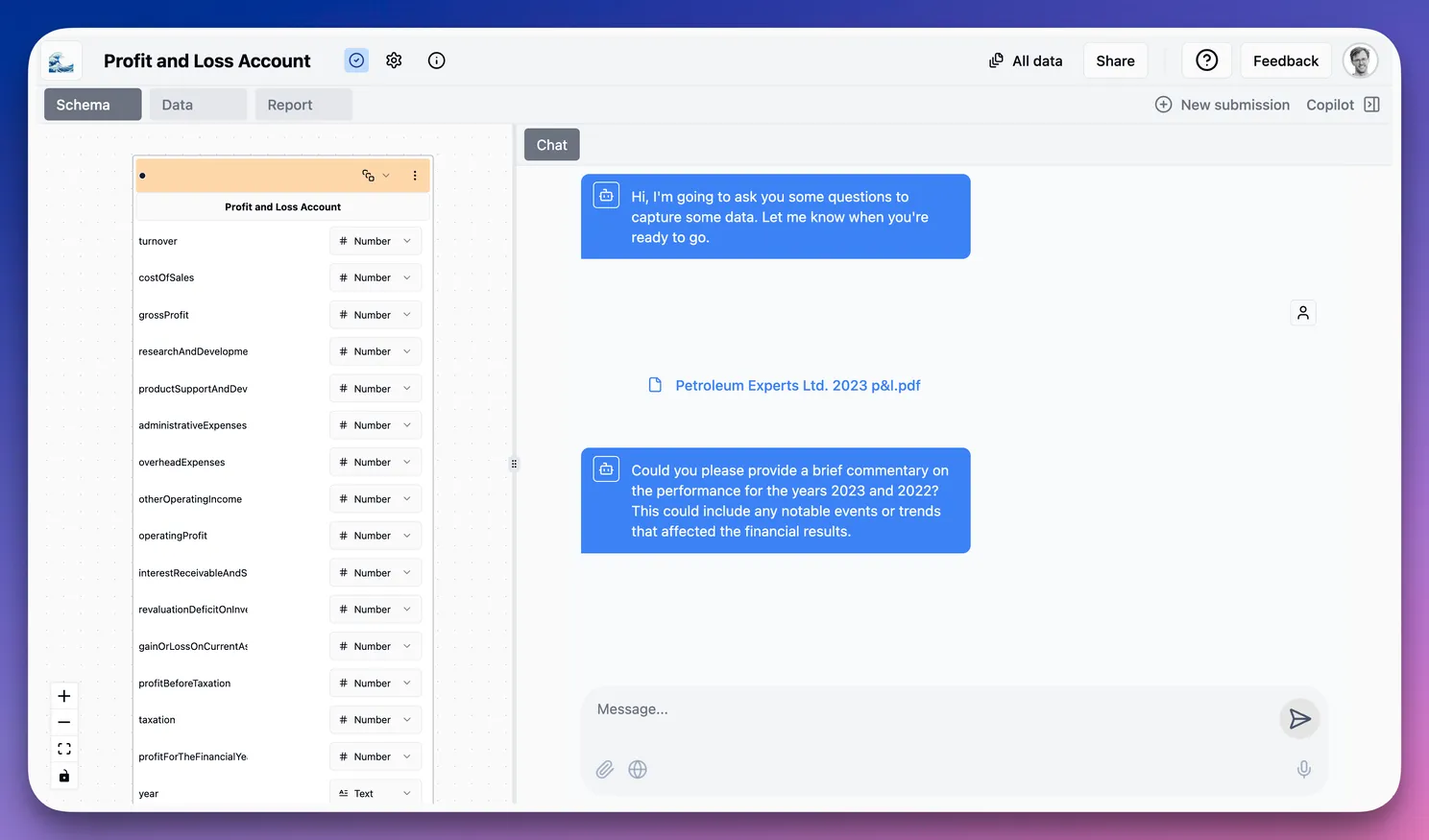
The app generates a data schema (left below), and I can then send the document to the Copilot Chat (right below) to extract the Profit and Loss details.
The copilot automatically extracts the data from the document. Then, using AI, the app will map the extracted data to the schema exactly as a credit analyst would.
 💡 One of our key capabilities is flexibility. You could extensively customize the target data schema, and the extraction will still work. We’ve removed the need to maintain a perfect 1:1 mapping!
Below left are the financials extracted for 2022. We can compare the data to the PDF on the right and see that the extraction succeeded.
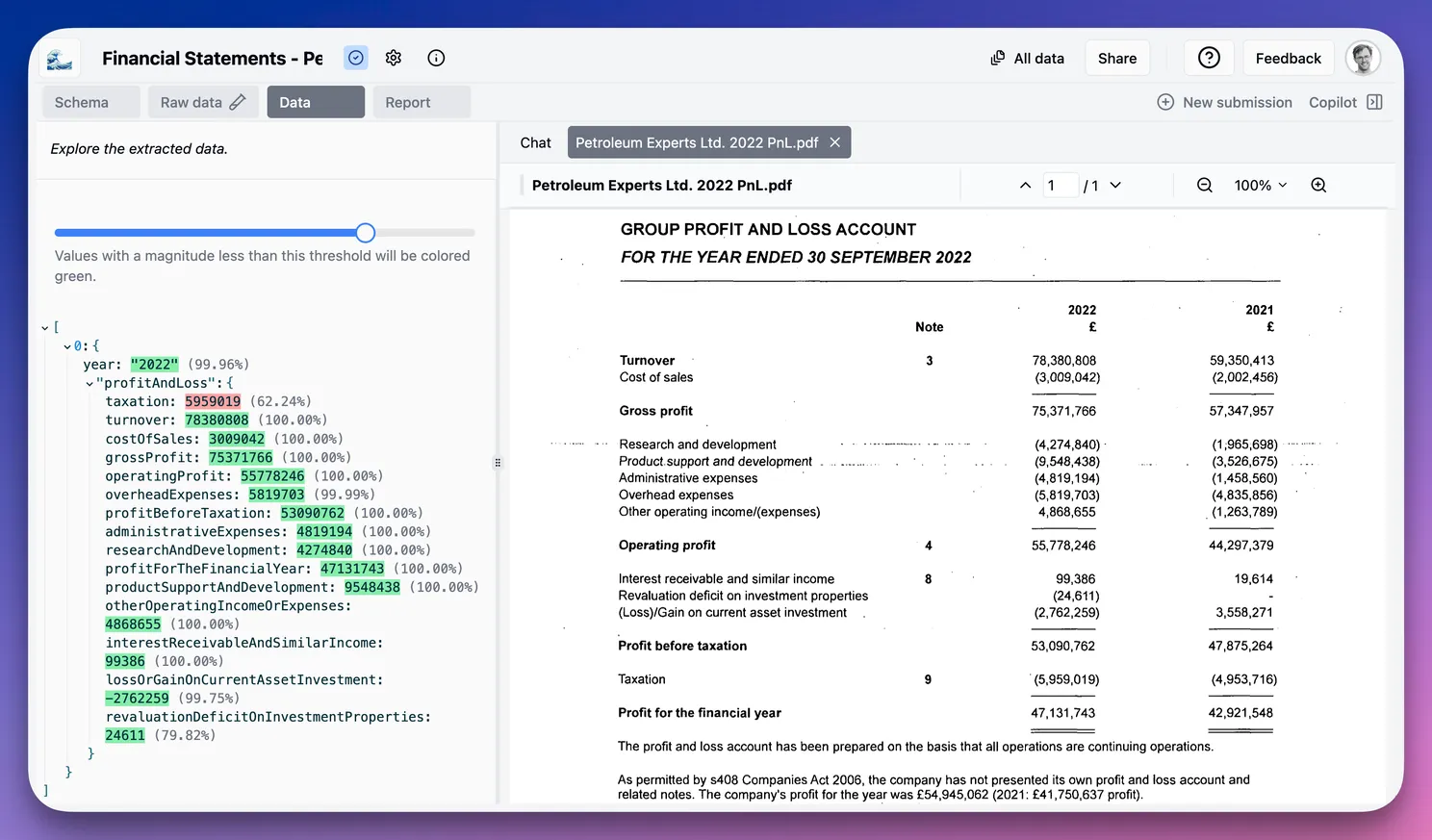
If we look at the Certainty feature, we can see that the AI is generally quite certain but had to consider the taxation field a bit more carefully (red below). This is an incredibly useful feature that goes well beyond traditional OCR confidence scores.
Performance insights
Now for the interesting part—where we look at the company’s performance.
The key question: Can I use Sea.dev AI copilot to develop the levels of insight provided in the blog?
First, can I get gross margin, tax rate, and net margin? I’ve asked the copilot to analyze the data and add them.
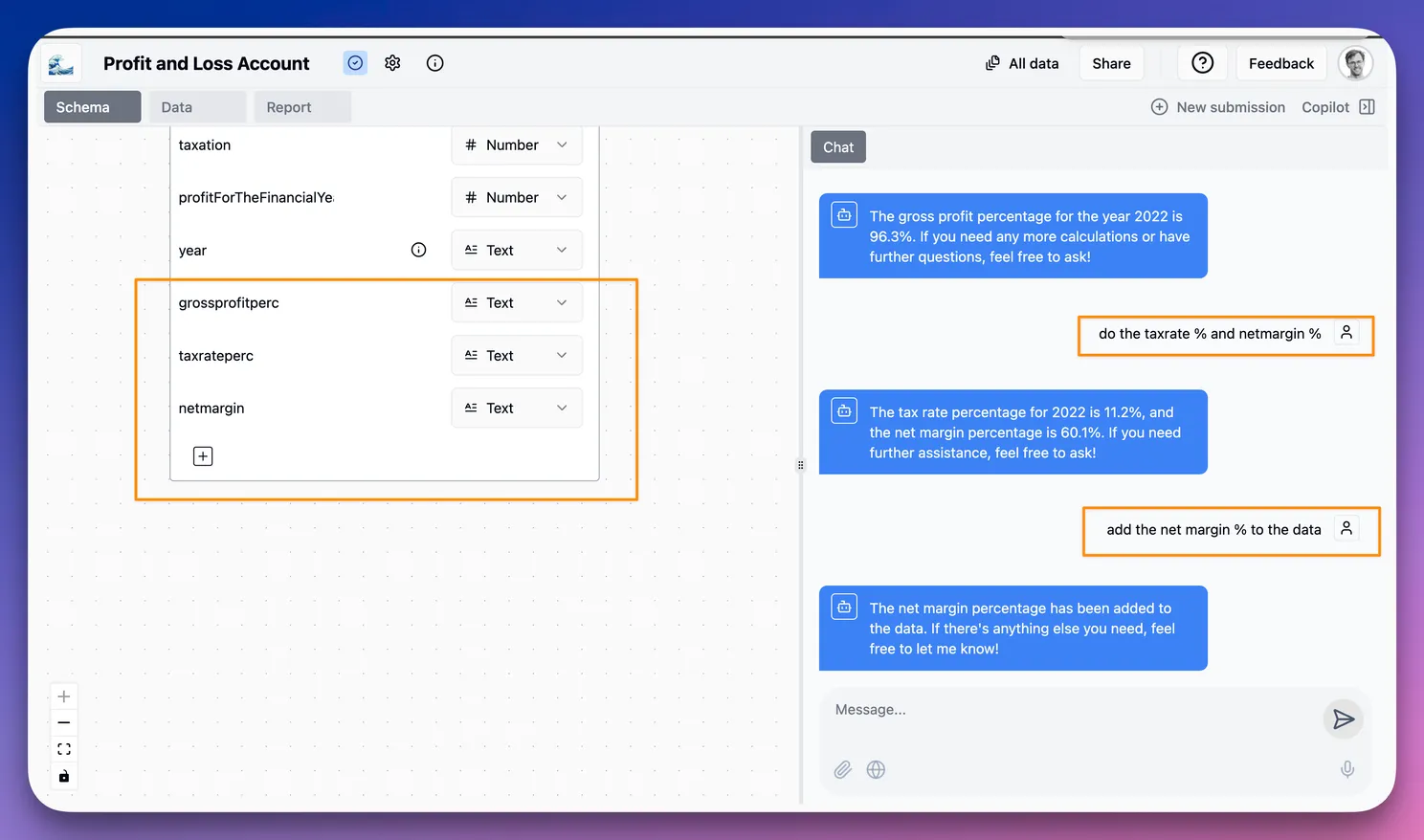
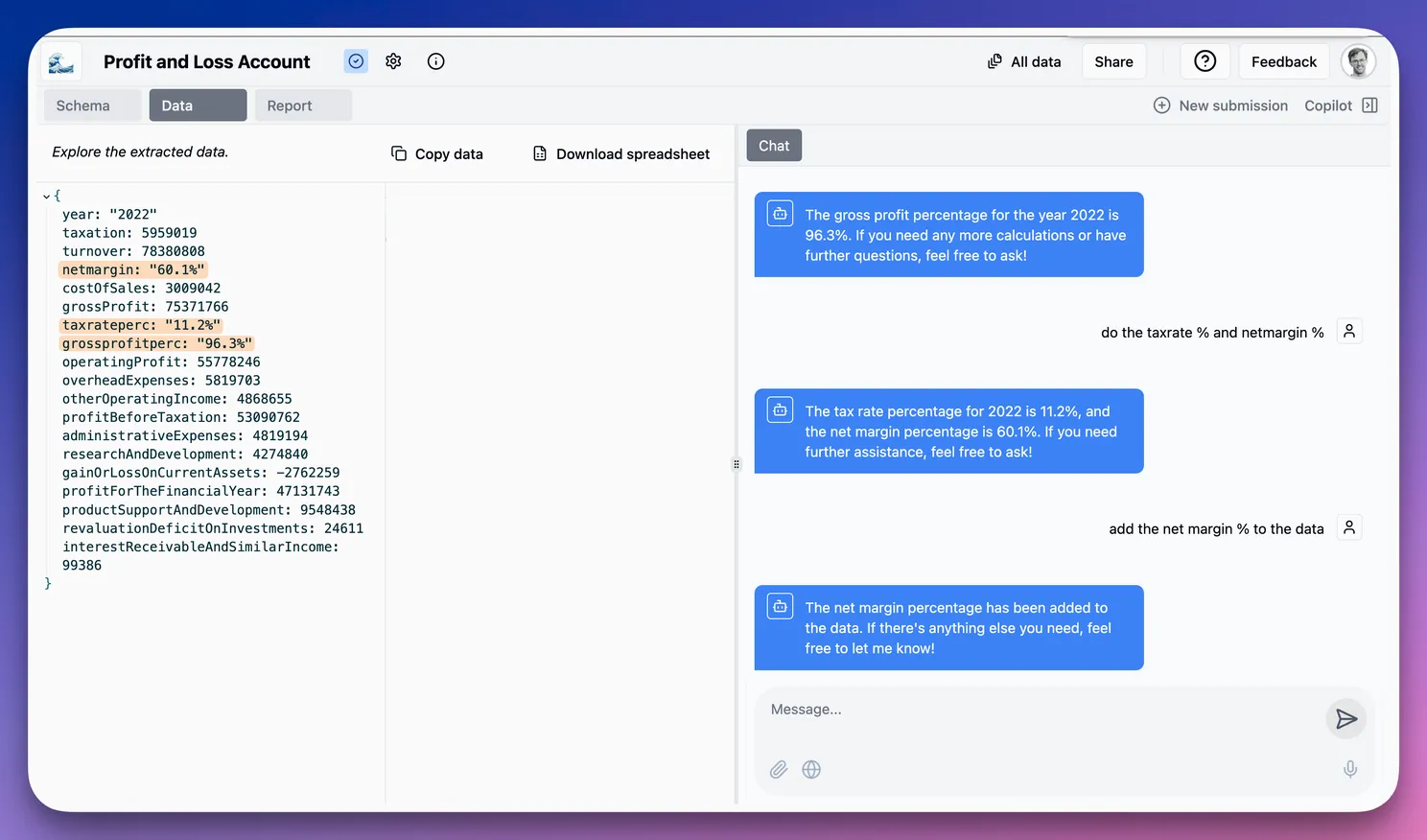
As we can see below, the copilot matches the blog:
Let’s start with the obvious. This is a wildly profitable business. 96% gross margins on £78.4m of turnover is just insane.
Report writer
Next, let’s analyze these financials using the Report feature to generate an Investment Memo. This will use the extracted data to generate a report.
We want to make the case for an investment. We have asked for specific attention to the margins and tax rates (we know there is something interesting there, so we can lead the answer a bit).
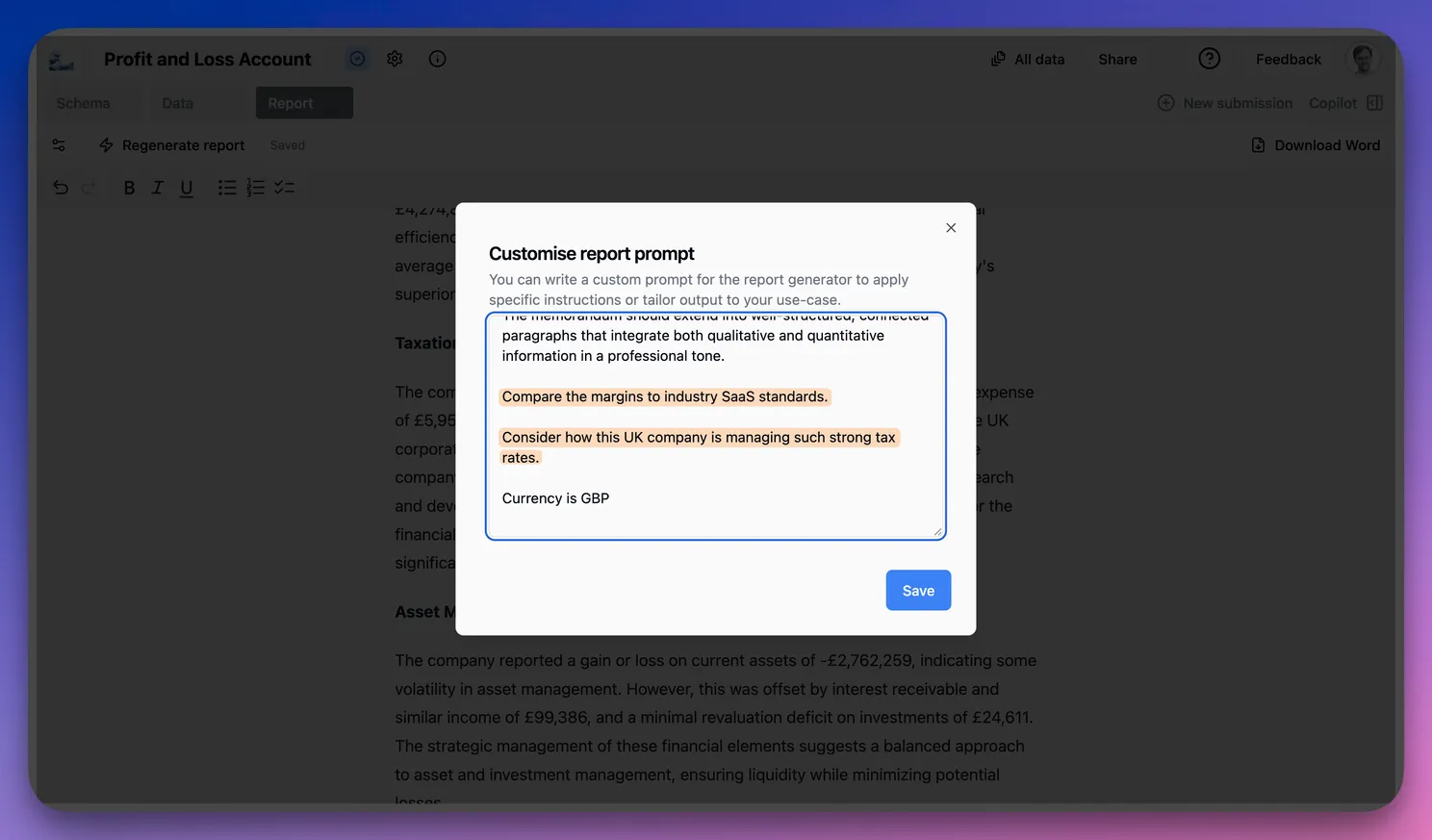
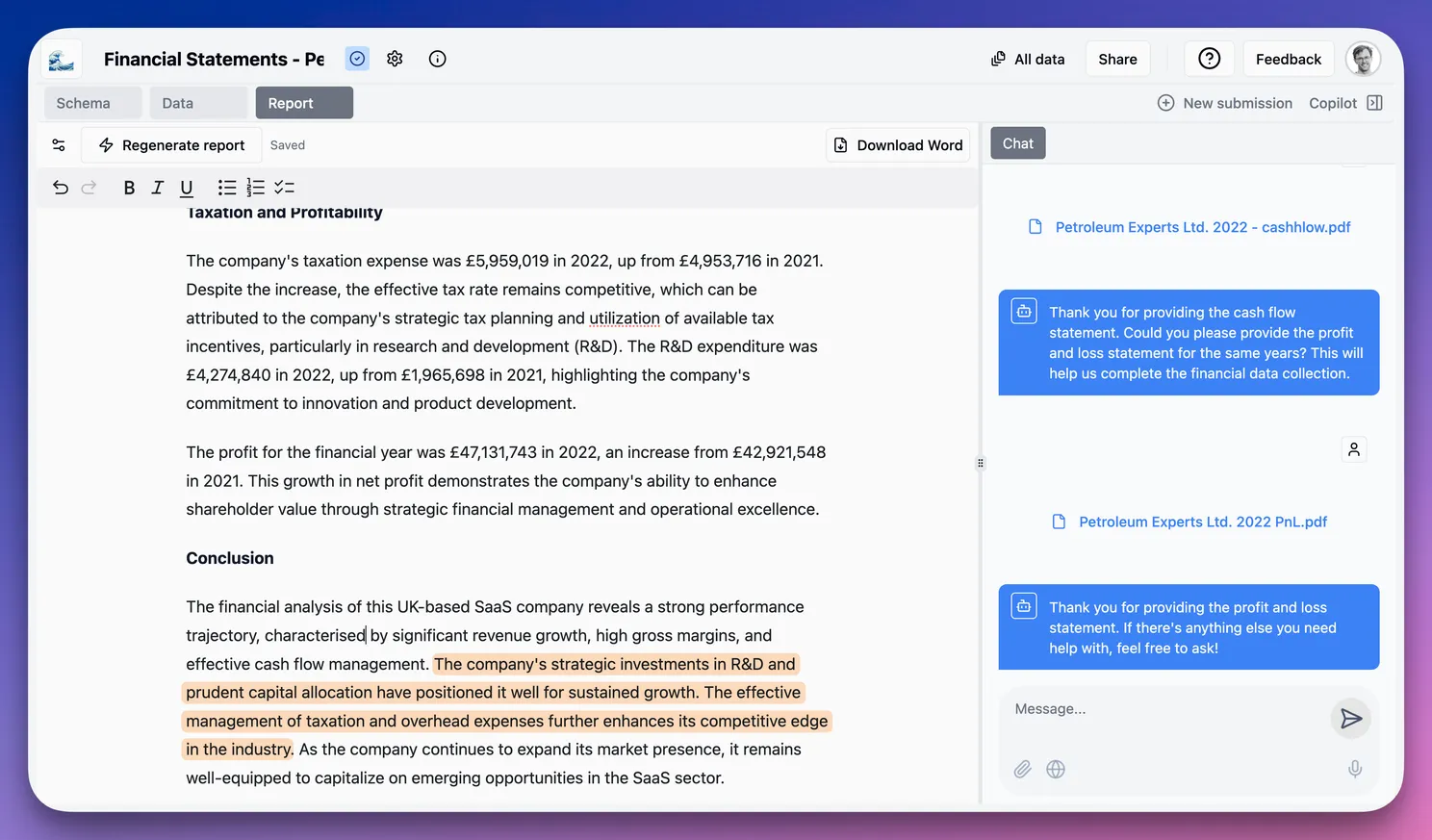
The first pass gets very close to the truth. With some refinement, deeply insightful reports and report templates can be created through this process that can accelerate company reviews and assessments for underwriting at any scale.
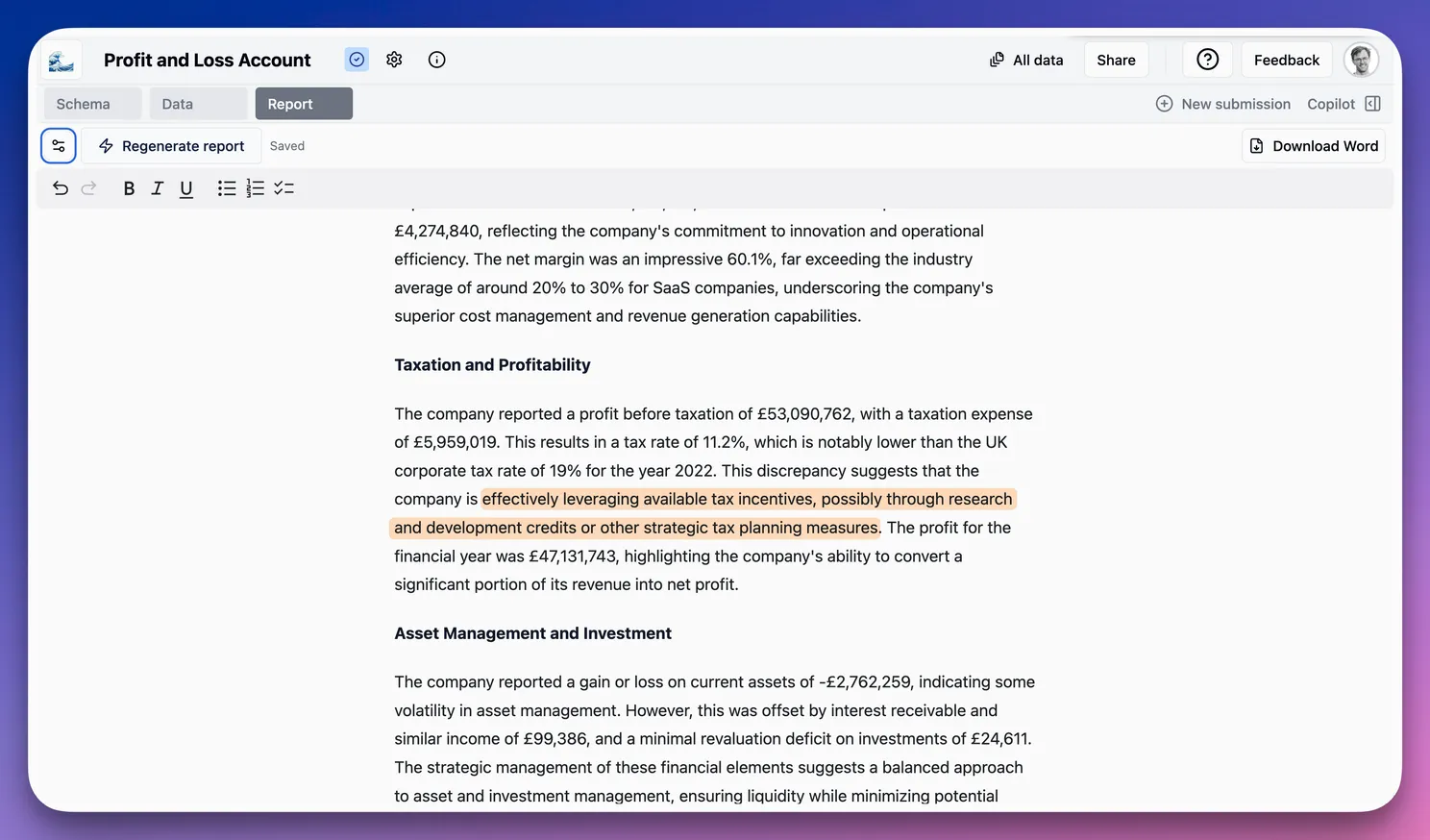
(FYI - the company is apparently using a Patent Box adjustment. Companies in the UK that hold patented IP pay just 10% tax rates on income generated from that IP.)
More data
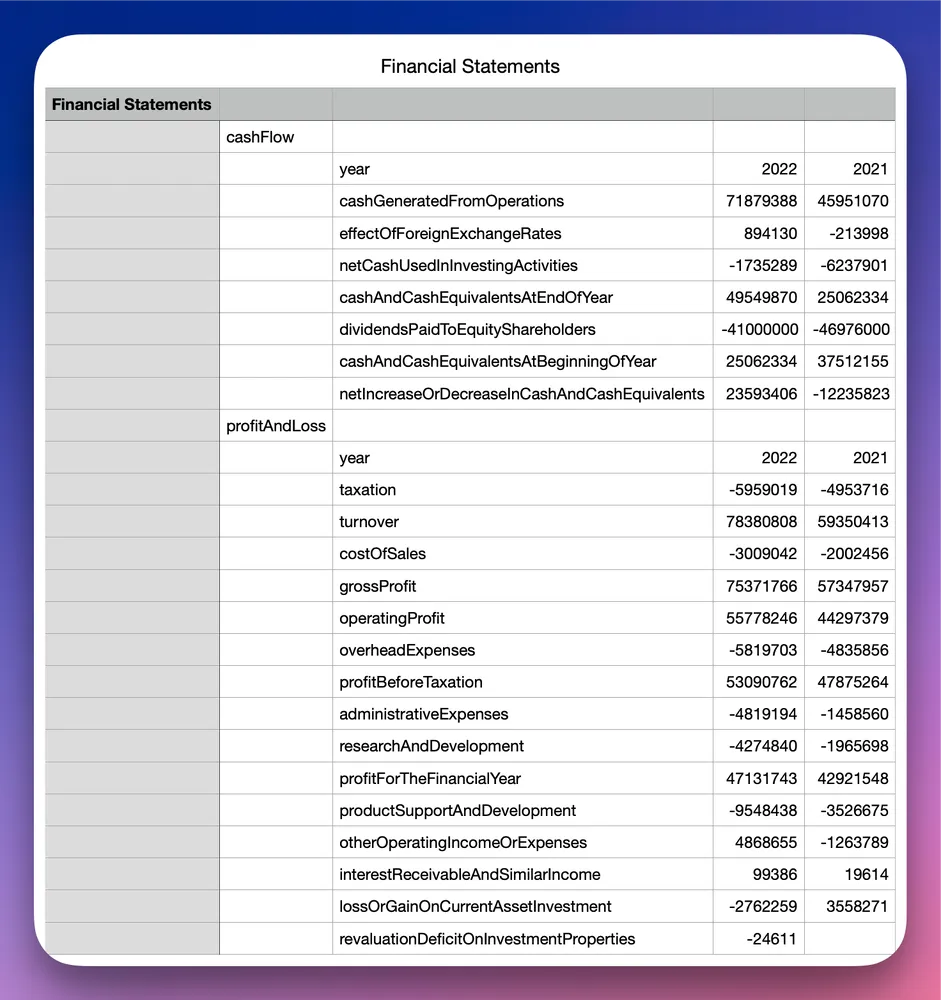
We’ve quickly managed to investigate this company’s financials and discovered that they far exceed benchmarks. Let’s repeat the process with the Cashflow Statement to expand the picture.
We can add a Cashflow Statement block and set it to many in order to also extract prior financial years. (This one/many allows you to control the way data is extracted.)
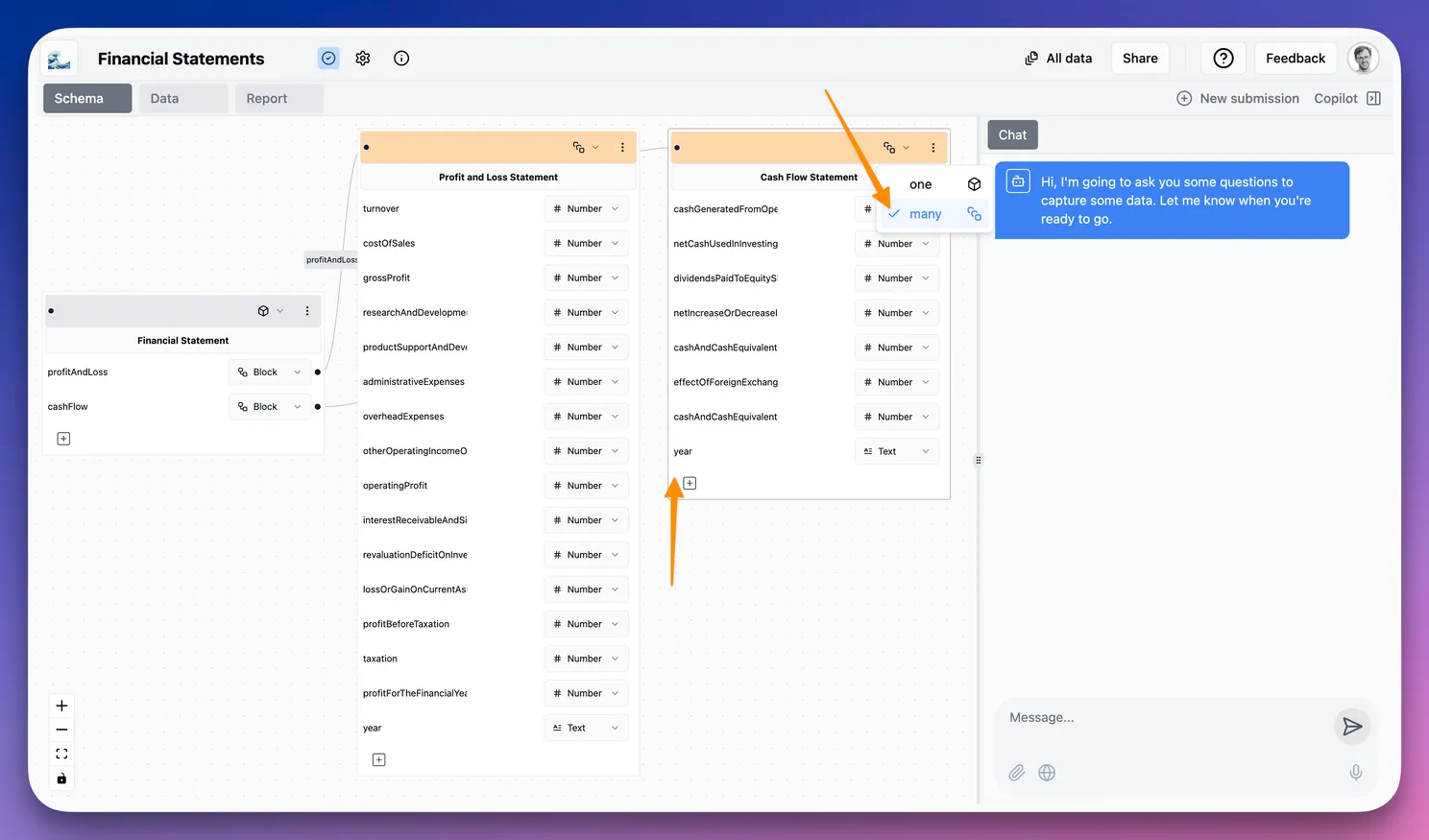
Great, we’ve now got two years for each statement and have a good picture to make the assessment.
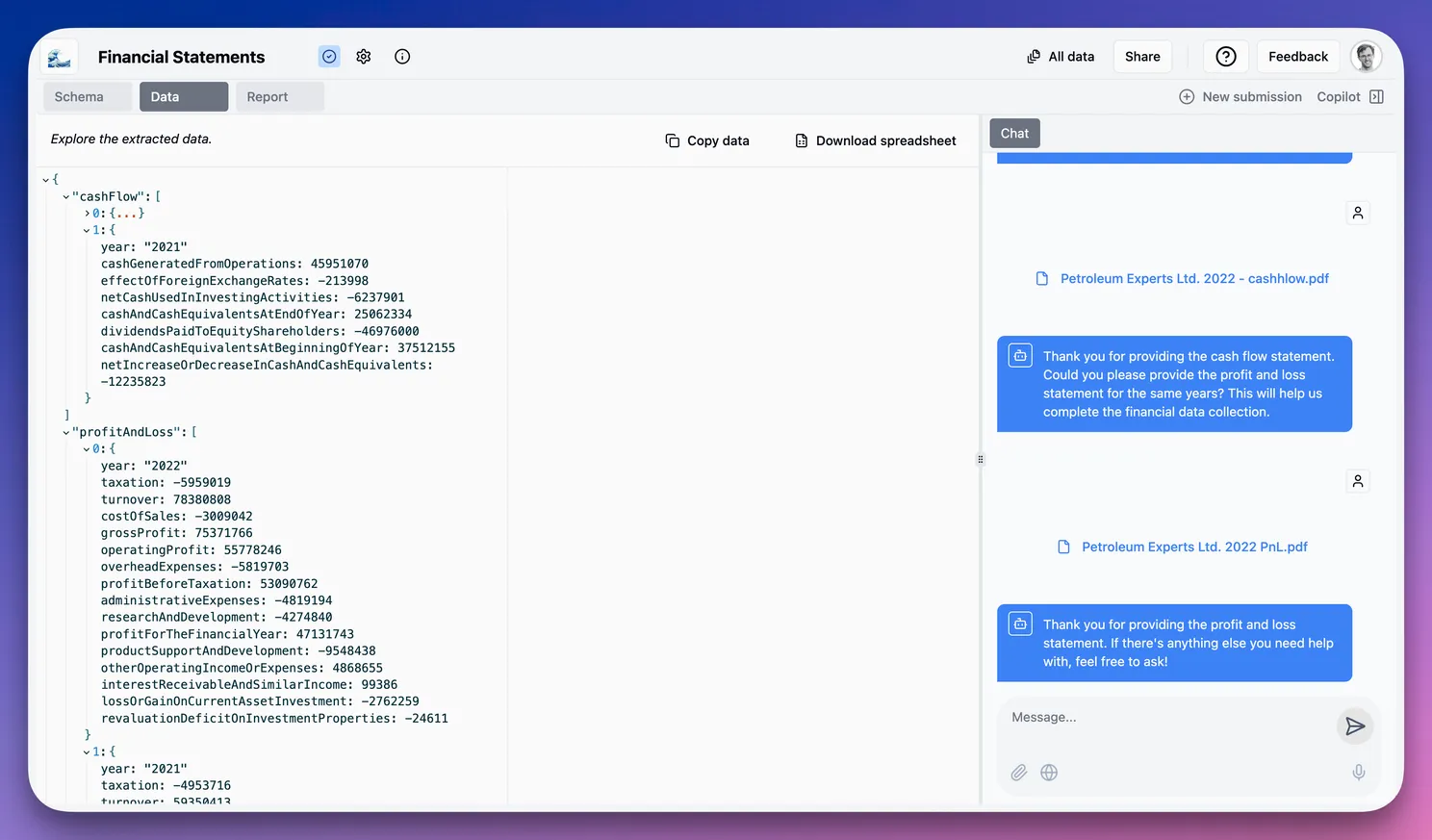
This data can also be downloaded as a spreadsheet, accessed via API, or sent to a CRM or Loan Management System.
Our updated Investment Memo gives a considered summary of the company’s financials and investment worthiness.
(The original blog post is worth a read, the company in question is very interesting!)
Summary
Using the app, we quickly:
- Created a data schema
- Extracted data from documents and free text
- Asked for amendments
- Analyzed the data
- Exported it
- Summarized it into a draft report
This is probably a fair approximation of the Quick Deep Dive that we set out to achieve. The idea was to find something remarkable about the company—good or bad—and we achieved just that.
Obviously, it helped to know that the company was interesting! That said, you can use this exact capability to reveal insights in much the same way a human would.
Going further into the automation workflow, if you have criteria that need to be checked, or broad scenarios you want to avoid, you can create workflows to look for those scenarios and check all of them against any company.
Imagine how constrained most credit or equity teams are in terms of what they are able to check—now imagine checking anything with no added friction 🌊!
Next steps
All of this can also be accessed via API, and bulk document workflows are just as easy.
There are other channels (email, chat, WhatsApp) that can be used to capture data, and many more features that we have not covered.
💬 Get in touch if you’re interested in a demo! 🚀
